Feature: Mesh-Batching
In my last post, which I admit was a while ago (this is because I've been adding loads of new features to Unholy Mess), I was ranting on about Mesh-Batching.
Well since that post, I've integrated Azzaman's Frustum detection and my Bounding Volume Hierarchy code, which means non-visiable meshes are actually not draw, which inadvertantly boosts the total number of meshes that you can play with in a scene to about 100 thousand, which is actually absolutely insane.
So as a result I knocked togeather a little video of an asteroid field, with some depth of field applied (DoF is very expensive, my little laptop cries and slows down to 30FPS), I also did a quick flocking algorithm and stuck some drones in to help give the scene a sense of scale, at which point I removed the DoF. Everything is happily rendered in full HDR !
Anyways, enjoy.
Friday, 21 March 2008
Project Update: Solar Flux


Sunday, 16 March 2008
Project Update: Solar Flux
Feature: Mesh-Batching
It's not as good as mesh instancing, but it's certainly quicker and easier to implement than mesh instancing.
On the 8th of april 2008, Solar Flux will be mock pitched, and our prototype demo shown to members of Team 17, so these last few weeks certainly are requiring that some corners be cut, so we can get our little presentation togeather. As a result, one of the features which we will be handling at a later date is mesh instancing, there just isn't time to get all the features into the game before the 8th of april. Without any form of instanced mesh rendering, its time to say goodbye to the idea of 10,000 asteroids on screen and approch the problem in a more pragmatic manner.
Thusly I've begun implementing a batch rendering technique, which is certainly adequete for now, on my meager laptop it begins to drop below 60FPS with 4000 meshes being draw, which is quite an improvement over the non-batched rendering result of about 800.
While 4000 meshes are available to be batched, it's more likely that the technique will only at most be used on 1000 meshes at this stage, but atleast we can render 1000 asteroids now, before that would have been a mere pipedream... Oh and did I mention that they're all normal mapped?
Tuesday, 26 February 2008
Project Update: Solar Flux
Feature: The Power of the Othala Engine Material System.
The Othala Engine boast a very capible and powerful material system which can be manipulated through the use of the R.U.S.T. tool which has been designed for use with the Othala Engine, materials can also be hand scripted and providing that the artwork is decent the results which can be yeilded from the engine I believe are very impressive.
It is worth noting that all the initial shader were written by the one and only Micheal Short. I have extended these base shaders to include extra effects. Mike has also written a bunch of post-processing effects which I will cover at a later date.
So on with the show.
We begin with the most basic shader avail to anyone when using the Othala Engine.
Ambient Colouring:

Textured Ambient Colouring:

This allows for a single texture to be placed onto a mesh. Such techniques may seem somewhat useless, but if you observe the first picture you will see that the mesh has subsections, and different effects can be placed onto each subsection, ambient textured colouring is especially useful with HDR for faking light emission.
Next we have the most basic complete lighting model.
Phong Based Per Pixel Lighting:
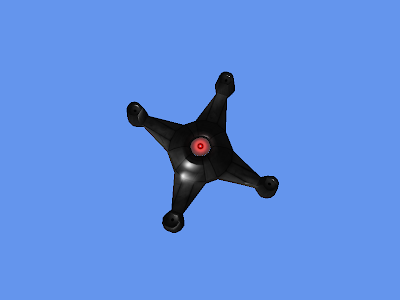
This is a basic method of treating a surface as if it is uniformly shiney. Note that the red centre isn't reflecting light, that is due to that part of the mesh being rendered using Textured Ambient Colouring.
Ashikhmin Specular:

Normal Mapping:
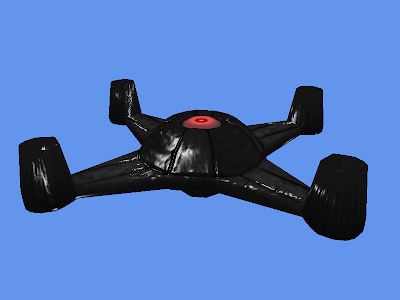
Normal mapping is fairly common in games nowadays, it allows for fine control to be place over how the surface reacts with the lighting, on a per pixel level. This requires a colour map and a normal map to be generated.
Phong based lighting with Specular Mapping:

By adding the specular map we can dictate how the light interacts with a surface. Nice result I think.
Ashikhmin Specular with Specular Mapping:
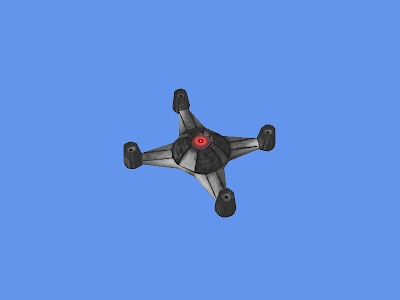 Normal Mapping With Specular Mapping: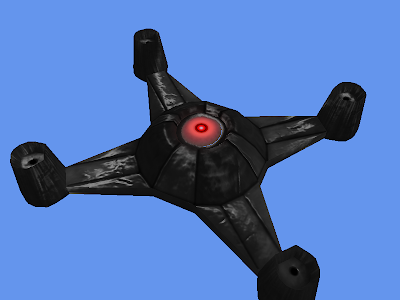
When we add HDR to the scene as you would expect for such a game, the magic really begins to come alive.
Adding a new shader to the renderer is very straight forwards, so expect to see more material processes as time progresses.
And here's a video of all the effects rendered in full HDR. Though as I reminder I knocked the materials togeather in next to no time by hand, and didn't tweak the HDR settings, so some of them don't look anywhere near as good as they could.